
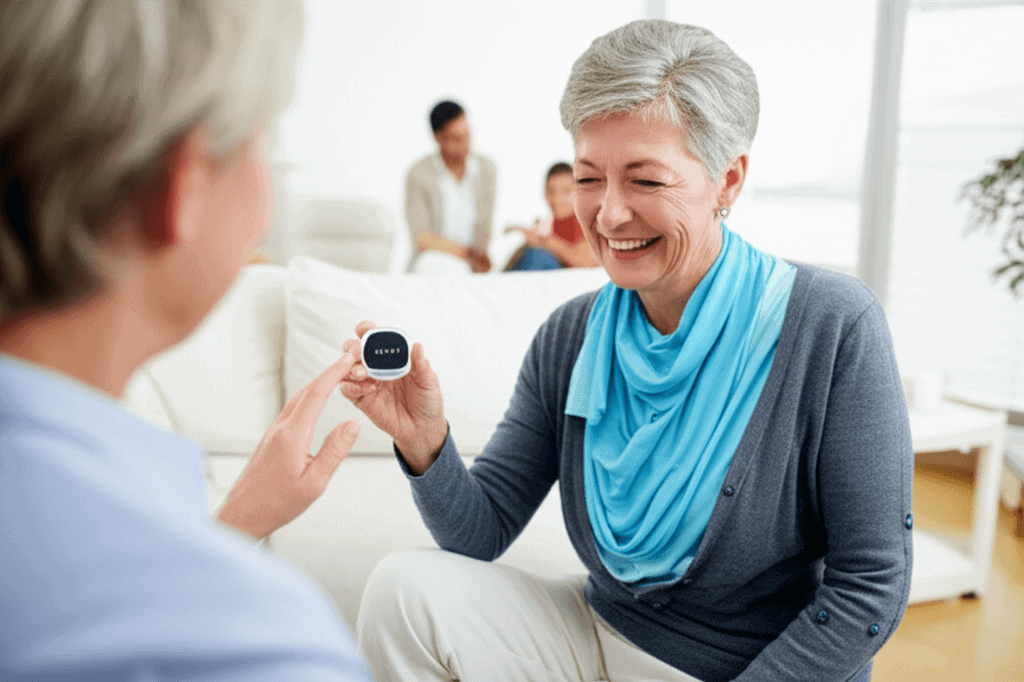
Picking the best way to care for an older family member can feel like solving a puzzle. Families look for gear that works well, is easy to handle, doesn’t cost a fortune, and fits right into normal life. Medical alert systems aren’t just big red panic buttons anymore—they’ve turned into smart sidekicks filled with features that match what seniors truly need. Think about the calm that comes from gadgets that slip seamlessly into daily life, turning safety into second nature. Learning about these tools can change how care feels and bring real ease. Keep reading to find out how they can make a huge difference.
This article explains practical options and realistic benefits so you can make choices that suit your family. Read on for clear examples, setup tips, and cost comparisons that make elder care approachable and usable.
Elder Care Made Simple why simplicity matters for families
Simplicity is not the same as basic. A clear user experience reduces errors and increases the likelihood that an older person will use the device. When functions are easy to access and the device blends with daily life many more people keep it on consistently.
Consider devices with one large button and visual cues. These can work better for users with limited dexterity or mild cognitive decline. Also look for systems with helpful voice prompts so the user receives direct feedback when they press a button.
Elder Care Made Simple Modern medical alert systems the primary capabilities
Today’s options include several types of devices and services. Understanding these categories helps families pick what matches lifestyle and risk profile.
- Home base units plug into a landline or connect via cellular. They typically cover a fixed range and are paired with wearable pendants or wristbands.
- Mobile units use cellular networks and GPS. They work outside the home and during outings to appointments or errands.
- Fall detection devices use motion sensors to identify potential falls and can trigger an alert automatically when a fall is detected.
- Smart speaker integration lets users trigger help using voice commands if their chosen platform supports it.
Each system balances trade offs: home units often have longer battery life, mobile units provide location tracking, and fall detection provides automatic alerts with no user action required. Match features to daily habits and medical needs for the best fit.
Key features to evaluate for modern systems
When comparing providers, pay attention to several practical areas rather than marketing claims. These features determine how useful the system will be in real life.
- Range and coverage for home systems and cellular signal strength for mobile units.
- Battery life and clear low battery notices for wearables and base stations.
- Response protocol who the system contacts first and how callbacks are handled.
- Two way audio so operators can communicate directly through the device.
- Installation and maintenance how much setup is required and whether professional help is offered.
Also review contract terms. Some plans bill monthly with no long term commitment while others require annual agreements. Check cancellation terms and trial periods so you can test a product in daily life.
Real life examples showing practical benefits
Stories illustrate how systems work in everyday situations. These examples show decisions and outcomes that can guide your selection.
- Example 1 A widow living alone used a mobile unit with GPS. After a recent hip replacement she could leave the house for short walks. When she slipped on wet pavement a passing pedestrian used her device to contact emergency services quickly because the GPS provided a precise location.
- Example 2 A man with mild memory loss kept a home base unit with fall detection. One night he fell in the bathroom and could not reach the phone. The fall sensor alerted the monitoring centre and family were notified, arriving before a hospital visit became necessary.
- Example 3 A couple traveling in a motor home used a mobile wearable that connected to a nationwide network. When one partner experienced a medical episode the device guided responders to a remote location.
These situations show how matching the device to activity patterns and risk increases usefulness.
Installation setup and daily use tips
Simple setup and routine habits increase consistent usage. Here are tips to make the system part of daily life.
Quick setup checklist
- Place the base unit in a central room with strong cellular or Wi Fi signal.
- Test two way voice function during setup to confirm clear audio.
- Charge wearables fully and establish a habit such as putting the device on after morning dressing.
- Provide a short written guide with step by step button use and keeper contact numbers for caregivers.
Daily habits that improve reliability
- Schedule regular battery checks and set calendar reminders to test the system monthly.
- Keep the wearable on a charger when not worn and teach the user quick charging steps if needed.
- Run a monthly drill with the user so they stay familiar with how to call for help and know what to expect during a response.
Costs plans and choosing the best value
Costs vary widely. Some providers include the device cost with a monthly subscription while others sell the device separately. Typical monthly fees range from lower cost basic monitoring up to higher tiers for expanded services.
When reviewing value consider these points.
- What the plan covers such as emergency response, non emergency family alerts, or location sharing.
- Equipment replacement policy and whether loss or damage is covered.
- Hidden fees such as activation charges or charges for operator calls to local emergency services.
- Offers and trials a short trial lets you check real life usefulness without a long commitment.
Tip: A lower monthly fee may look attractive but compare response times and operator quality. Those two factors often make the service more reliable when every minute counts.
Privacy security and data handling for elder care devices
Data from wearable and mobile medical alert systems includes location and health related incidents. Ask providers about how they store data and who can access it. Vendors should explain retention periods and how they share data with emergency services and family contacts.
Simple questions to ask a provider during purchase include:
- How is data encrypted during transmission and at rest
- Who can access location logs and under what conditions
- Whether the system shares data with third parties for marketing or research
Choosing a provider with transparent policies and clear consent steps reduces surprises after purchase.
How to pick the right provider for your situation
Develop a short checklist before you compare systems. That keeps the focus on what matters most for your household.
- Define the primary use case such as outdoor mobility, in home fall detection, or both
- Decide who will manage the service and act as the main emergency contact
- Set a realistic monthly budget and note any one off setup costs you will accept
- Check cellular coverage maps if you plan to use mobile monitoring
Once you have those answers, test two systems back to back where possible. A trial shows real behavior and acceptance by the person who will use the equipment.
There are useful articles that expand on device choices and real user experiences if you want more reading. To learn more about how providers are adapting systems for everyday life continue reading and compare options side by side.
Wrapping up elder care choices involves weighing daily needs against available features and cost. Focus on ease of use, consistent coverage where the person spends time, and clear response procedures. Use trials and check reviews to confirm service levels and response times. If you are ready to take the next step gather a short list of three providers that match your checklist and arrange trials or demo calls with each.
Start small with a plan that fits current needs and allows changes as requirements shift. Contact family members and primary caregivers and agree on how alerts will be handled during the first month. That coordination helps the user build a routine and gives everyone confidence in the system. Take action today by listing your top priorities and scheduling a trial within the week. A short trial will show whether a system truly fits daily life and provides the level of practical support your family expects.